
I have joined the third cohort for Cloud Code Academy Salesforce developer kickstart program. In a recent session there was a question, where the answer brought up the difference between Salesforce Classic and Salesforce Lightning.
There are numerous articles you can find with your favorite search engine and even trailhead modules. These focus on the difference in capabilities between the two frameworks. I am going in a different direction by looking under the hood and describe the rendering process for both versions.
Salesforce Classic
Salesforce Classic was the original architecture and design created when Salesforce first launched in 1999.
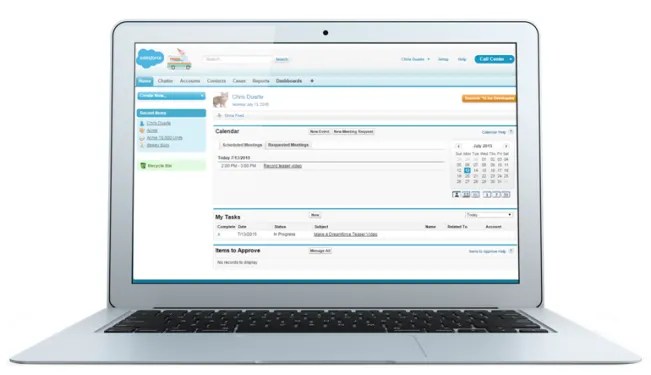
The was only really one way to create websites in 1999.
- The request for the page would go to the web server.
- The web server would get the page layout and data and generate the html for the page and return it to the client.
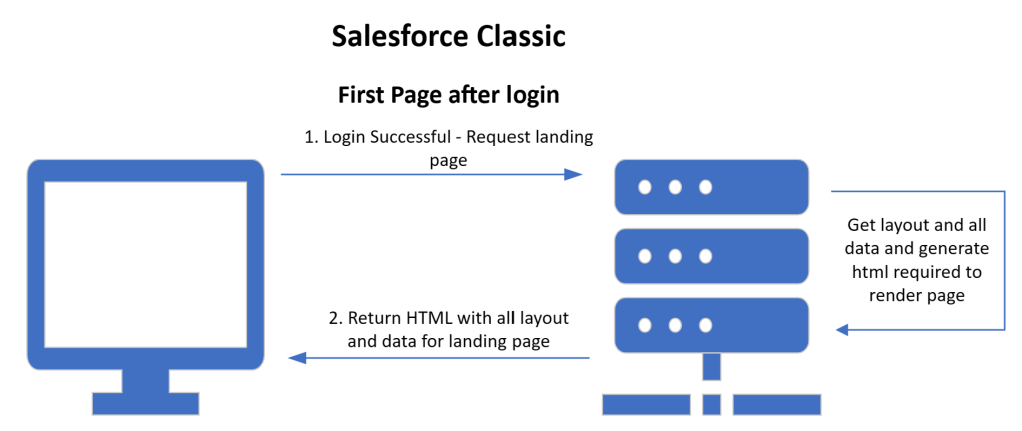
At this point the browser would render the page based on the html returned. There was no way to store state in the browser so any state would have to be sent back to the web server and returned with the response.
Another name for this is a multi-page application. I prefer the term standard website.
Salesforce Lightning
Salesforce lightning was released in 2015. It was a dramatic change from Classic. There was a significant shift in the approach to the UI and to how a page is rendered.
Aura was the original framework created for lightning. In 2019 LWC was launched and worked within this Aura framework. There is no fundamental shift in the rendering process.
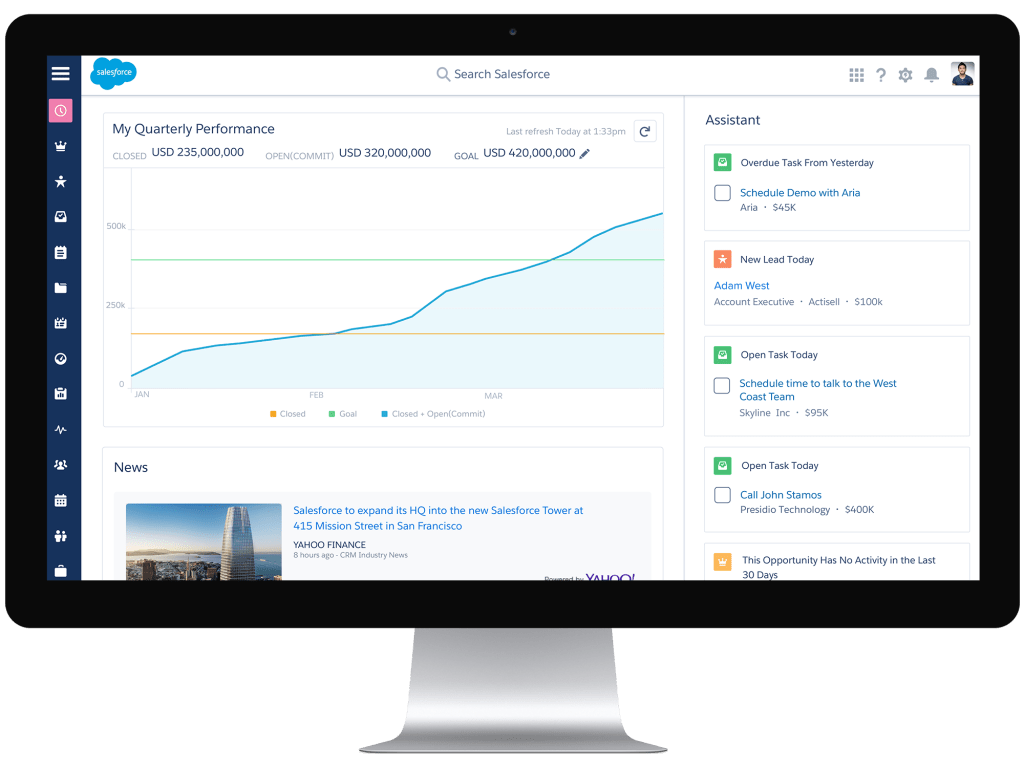
The workflow for rendering a page is dramatically difference. If we look at the first page rendered after login the process is:
- The browser requests one.app. This is the Aura application that is used for sales and service cloud for desktop. This same process is the same for any Aura application.
- The server returns an html page with, essentially, no html to render. It is primarily a vehicle for returning the links to the JavaScript needed for initializing the app.
- The browser requests the aura framework JavaScript and a set of common components.
- The browser initializes the aura framework and renders the basic chrome (look) for the page, for either standard on console view.
- The browser request the page layout metadata
- The browser requests the components required for the layout, if they weren’t in the common components returned in step 3.
- The browser starts executing the components and then requests the data needed for the components.
- The browser finishes executing the components, which generate the html to be rendered in the browser.
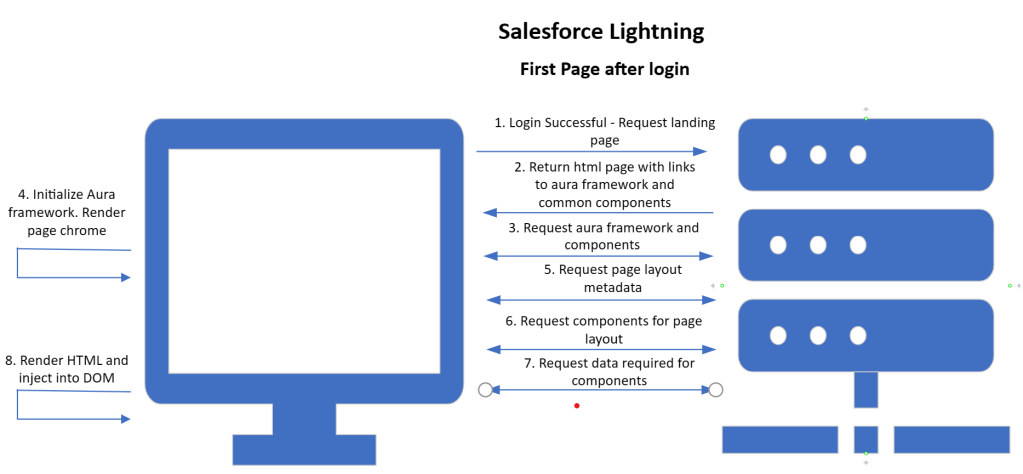
That is a lot. Note that for subsequent page requests steps 5-8 get executed, as the first 4 steps are only executed on first page request.
This architecture is commonly called a Single Page Application.
Summary
It is clear that the rendering process between Classic and Lightning is significantly different.
There is a lot of nuance that I have skipped over, but hopefully it helps clarify a little about the rendering differences.
A future blog will go into more detail on how the Salesforce SPA rendering process works.
 Grandstand Blogs
Leave a comment